- login in Labware via Citrix;
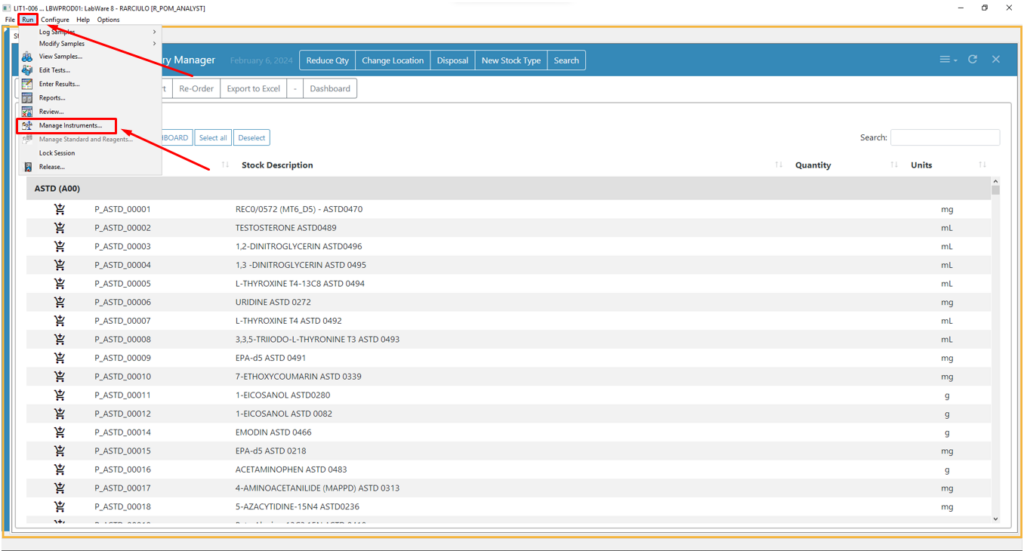
- click on “Run” and after on “Manage Intruments”
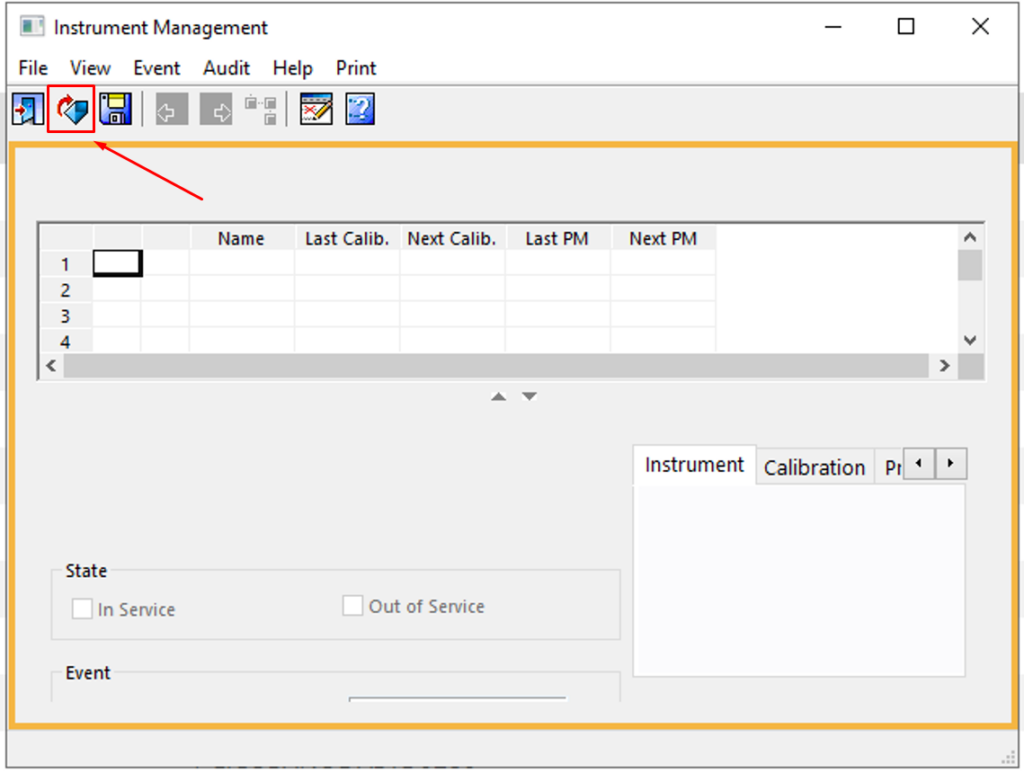
3. on the “Instrument Management” window clink on the “open” icon
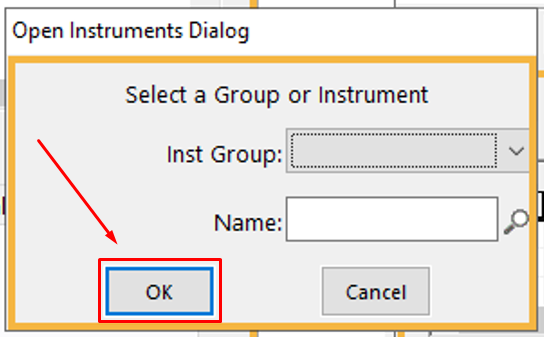
4. on the “Open Instrument Dialog” window leave all field in blank en click “OK”
5. select one item
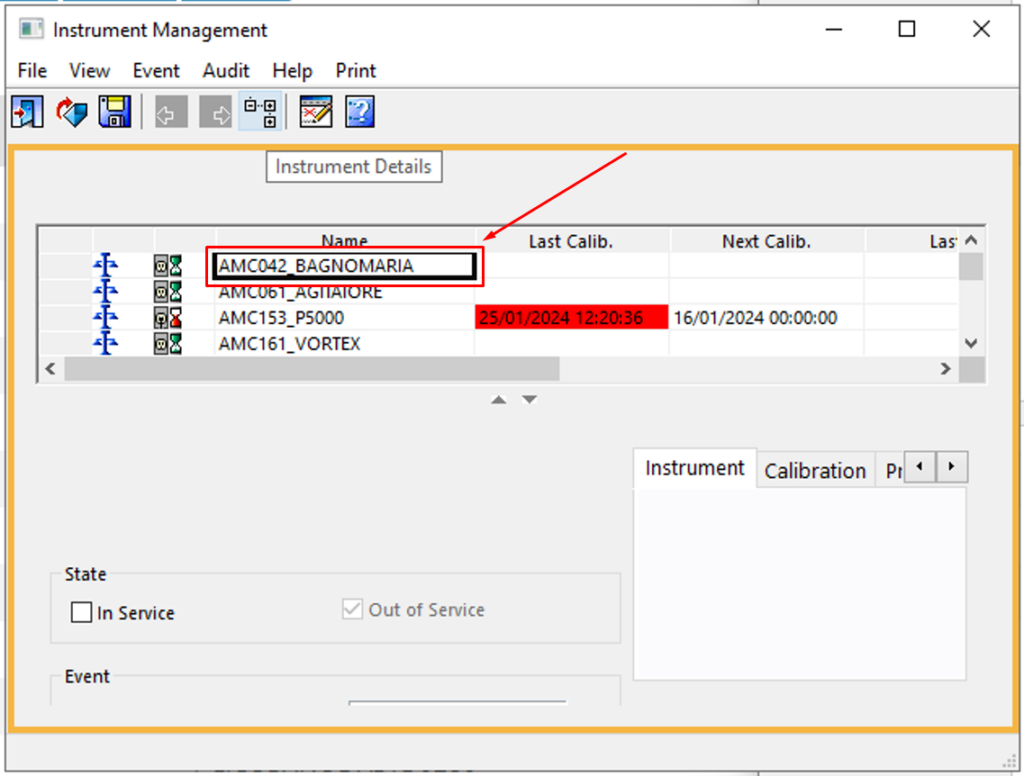
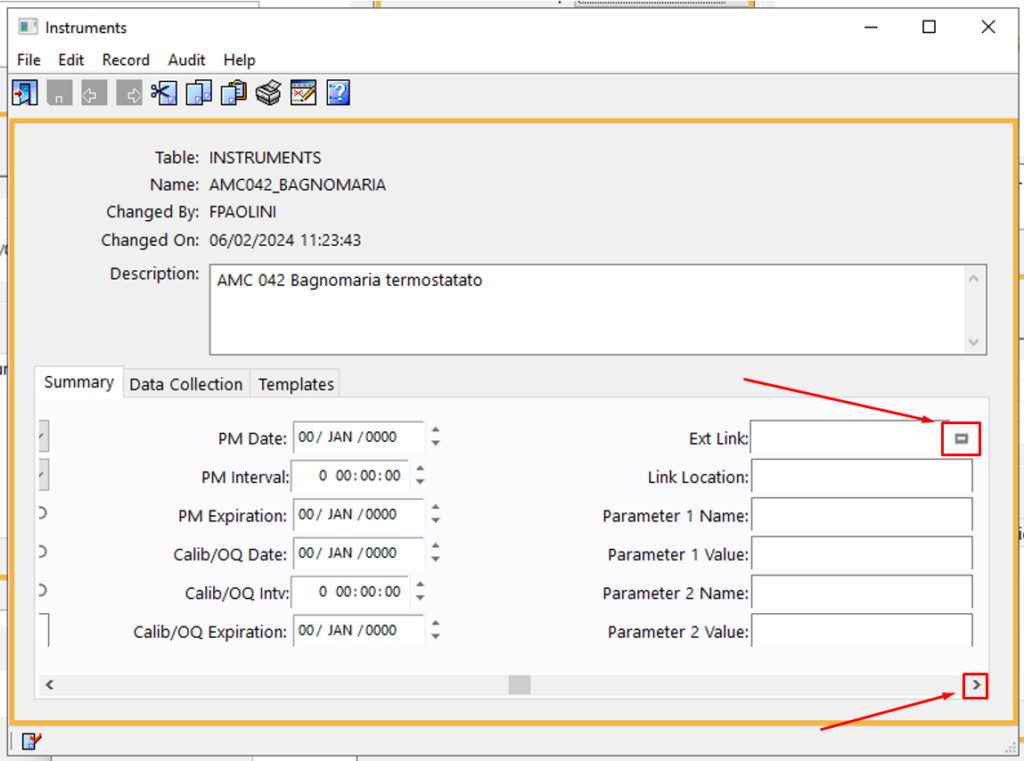
6. On the section below, scroll on the right and click on the “External Link” icon
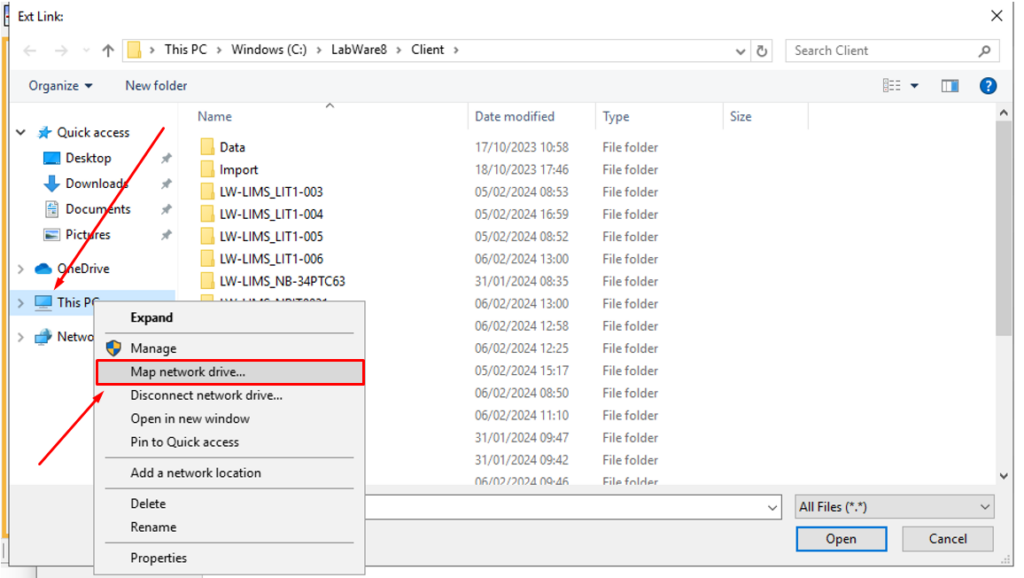
7. will now now appear the classical Windows explorer window, and from here you can right click on this pc (on the left side) and from the drop down menù select “Map network drive …”
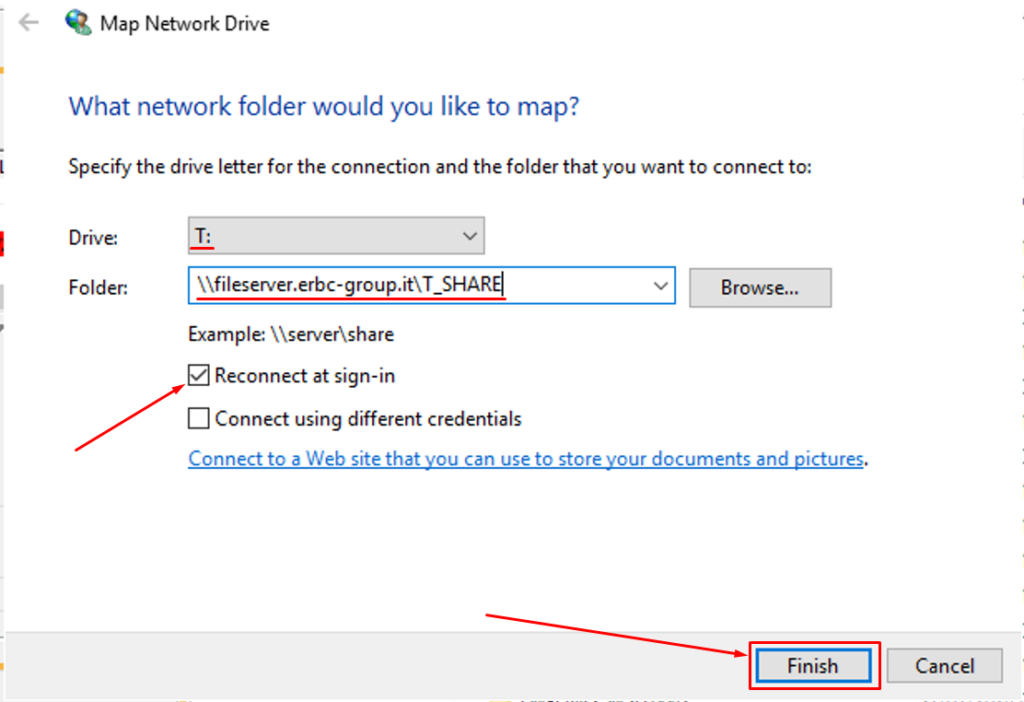
8. on the “Map Network Drive” window insert the information about the volume that you want to map and put the flag on reconnect at sign-in.
9. repeat from step 7 and8 to add other network drive