below the docker-compose.yml file content:
services:
  RStudio_1:
    image: rocker/rstudio:4.3.3
    container_name: RStudio_1
    restart: always
    ports:
      - 6001:8787
    volumes:
      - RStudio_project_1:/home/rstudio
      - RStudio_Library_1:/usr/local/lib/R/site-library
    environment:
      - TZ=Europe/Rome
      - PASSWORD=erbc

volumes:
  RStudio_project_1:
  RStudio_Library_1:
Once the configuration of the docker-compose.yml file is don we can start the container with the following command:
docker-compose up -d
To verify if the container is working open the web browser and put the ipaddress of the docker machine followed with the port 6001
install other packages..
most of ERBC R-tool use some pacakeges… to perform this installation click on “Tool” and “Install Pakages…“

below the list of package needed:
TinyTex
xtable
mvtnorm
plyr
TeachingDemos
lawstat
dplyr
car
RVAideMemoire
expm
Rcpp
rstudioapi
data.table
rlang
devtools
yaml
Exact
gld
BH
ggplot2
Hmisc
Here is the command to be executed in the RStudio console
install.packages(c("TinyTex", "xtable", "mvtnorm", "plyr", "TeachingDemos", "lawstat", "dplyr", "RVAideMemoire", "Rcpp", "rstudioapi", "data.table", "rlang", "devtools", "yaml", "car", "expm", "Exact", "gld", "BH", "ggplot2", "Hmisc"), repos = "https://cran.rstudio.com", dependencies = TRUE)Moreover we need to manually download and install a previous version of “DescTools ” package (version 0.99.41) available from here and following that procedure to uplad and install
After download the DescTools package upload the file, upload to RStudio folder…
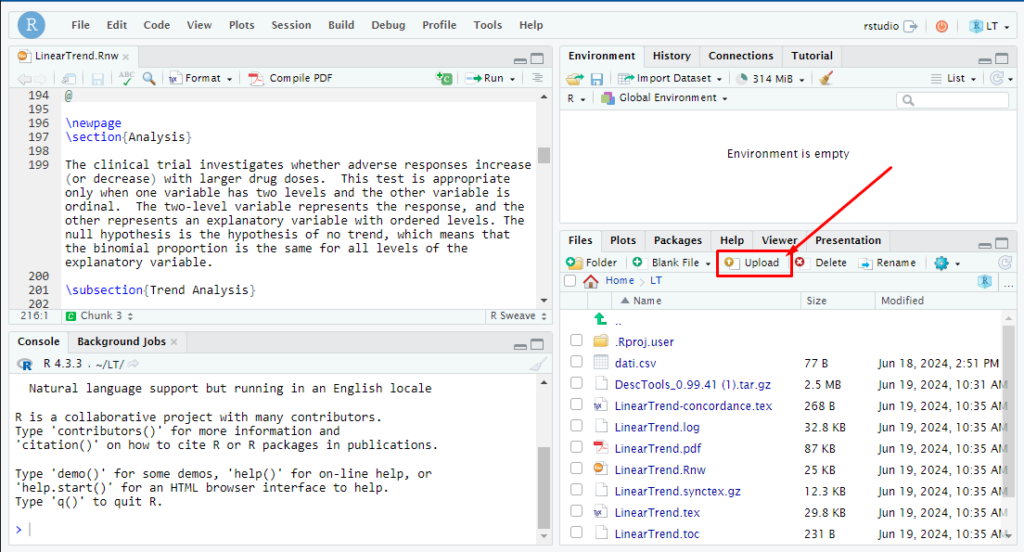
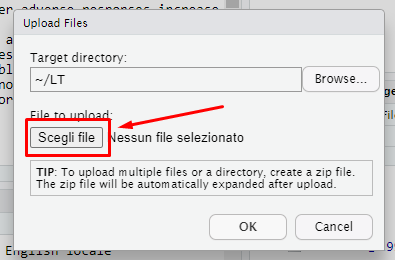
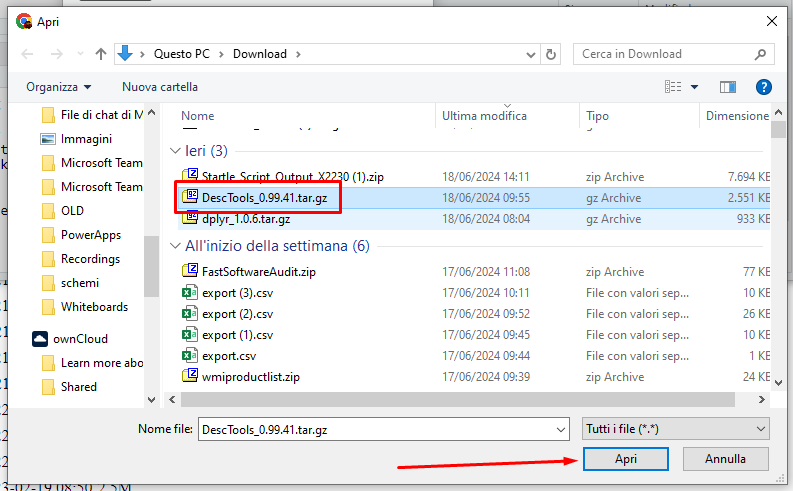
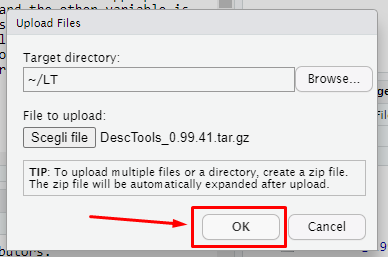
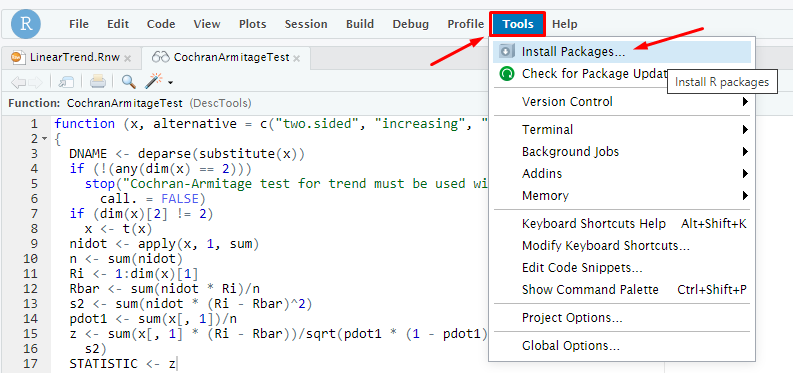
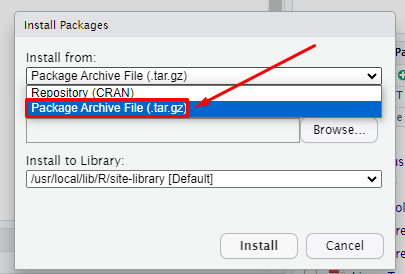
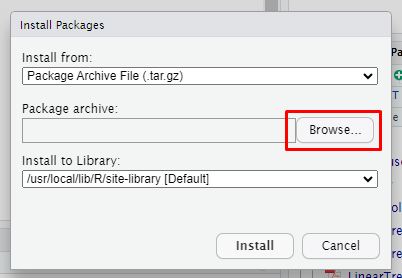
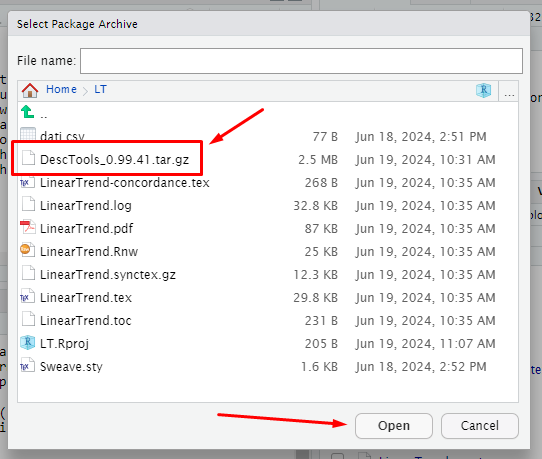
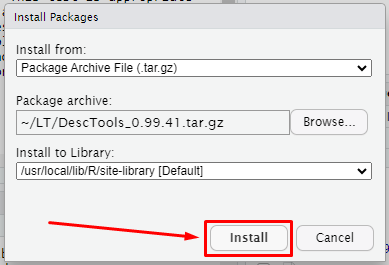
Configure RStudio
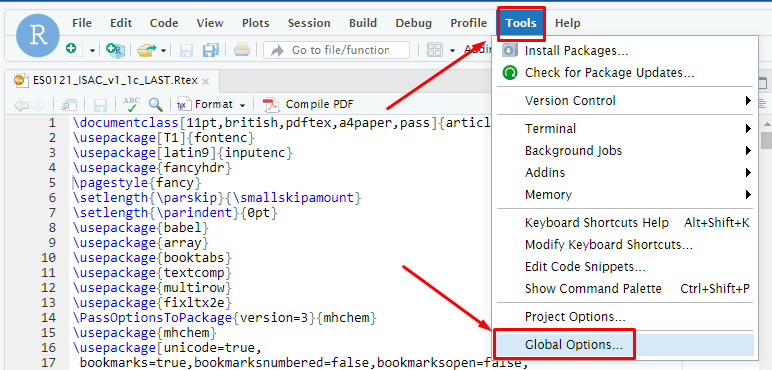
Now we need to edit the option of the program, go to “Tool” –> “Global Options …“
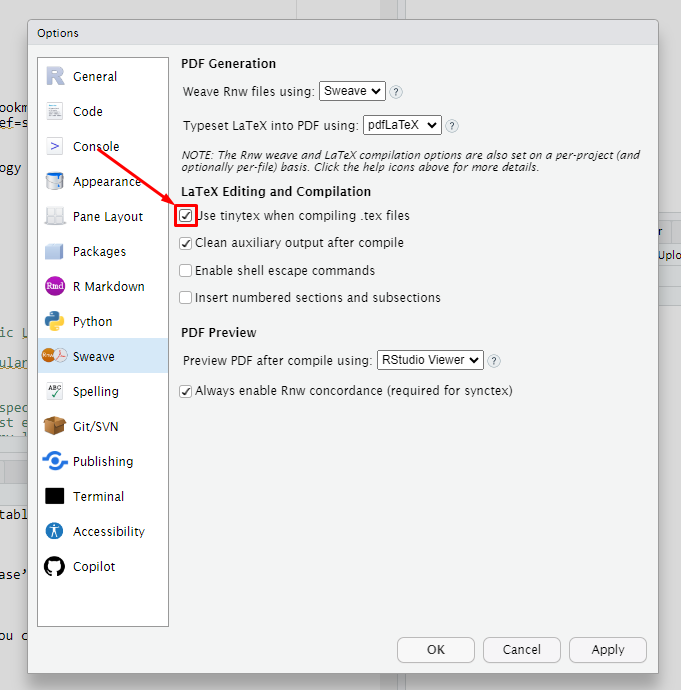
Then go to Sweave a flag the voic “Use tynytex…“
Cloninig RStudio container
Now to clone this container, in primis we need to stop this container container, and afther that we can use the following script to generate automatically n version of this container and published each one on a different port
#!/bin/bash
#V=8
decimal=9

echo "do you want create the volumes ? (reply yes or no)"
  read response1

for V in {2..20..1}
do
  if [ $V -le $decimal ]
  then
    PORT="600${V}"
  else
    PORT="60${V}"
  fi

  INSTANCE="RStudio_${V}"
  PROJECT="RStudio_project_${V}"
  LIBRARY="RStudio_Library_${V}"

  if [ $response1="yes" ]
  then
   # CREATE THE NEW VOLUME
    docker volume create $PROJECT
    docker volume create $LIBRARY
   # CLONE THE VOLUME FROM RStudio_1 container
#    docker run --rm --volumes-from RStudio_1 -v RStudio_project_2:/target alpine sh -c "cp -rp /home/rstudio/. /target"
    docker run --rm --volumes-from RStudio_1 -v $PROJECT:/target alpine sh -c "cp -rp /home/rstudio/. /target"
#    docker run --rm --volumes-from RStudio_1 -v RStudio_Library_2:/target alpine sh -c "cp -rp /usr/local/lib/R/site-library/. /target"
    docker run --rm --volumes-from RStudio_1 -v $LIBRARY:/target alpine sh -c "cp -rp /usr/local/lib/R/site-library/. /target"
  fi

  docker run -d --name $INSTANCE -v $PROJECT:/home/rstudio -v $LIBRARY:/usr/local/lib/R/site-library -p $PORT:8787 -e TZ=Europe/Rome -e PASSWORD=erbc rocker/rstudio
  docker update --restart=always $INSTANCE

done
Moreover is scheduled, once per day a script that rebuild all the cloned container from the template using that script and scheduled via crontab on the linux machine
#!/bin/bash
decimal=9

for V in {2..20..1}

do
  if [ $V -le $decimal ]
  then
    PORT="600${V}"
  else
    PORT="60${V}"
  fi

  INSTANCE="RStudio_${V}"
  PROJECT="RStudio_project_${V}"
  LIBRARY="RStudio_Library_${V}"
  docker kill $INSTANCE
  docker rm -v $INSTANCE
  docker volume rm $PROJECT
  docker volume rm $LIBRARY

   # CREATE THE NEW VOLUME
   docker volume create $PROJECT
   docker volume create $LIBRARY
   # CLONE THE VOLUME FROM RStudio_1 container
   docker run --rm --volumes-from RStudio_1 -v $PROJECT:/target alpine sh -c "cp -rp /home/rstudio/. /target"
   docker run --rm --volumes-from RStudio_1 -v $LIBRARY:/target alpine sh -c "cp -rp /usr/local/lib/R/site-library/. /target"
   # CREATE THE DOCKER CONTAINER
   docker run -d --name $INSTANCE -v $PROJECT:/home/rstudio -v $LIBRARY:/usr/local/lib/R/site-library -p $PORT:8787 -e TZ=Europe/Rome -e PASSWORD=erbc rocker/rstudio:4.3.3
   docker update --restart=always $INSTANCE
done