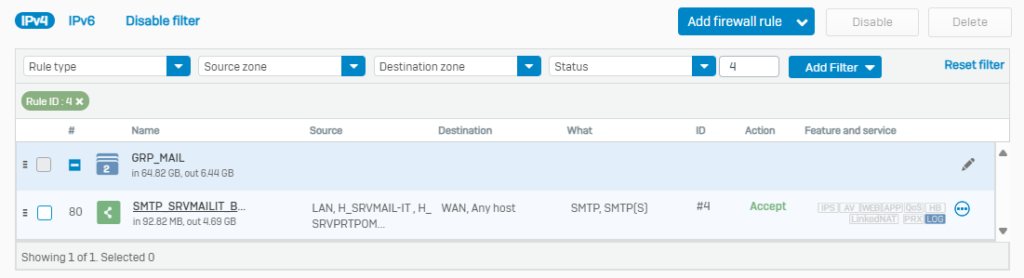
The smtp server is hosted on the print server SRVPRTPOM and relies on exchange online smart host to route the messages.
The server settings are the following:
- alias: smtp.erbc-group.it
- IP: 10.2.22.80
- port: 25
All the mail sent from this server must have @erbc-group.com on the sender.
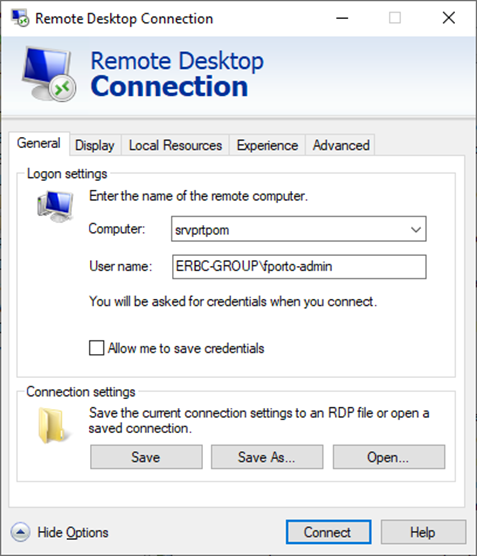
Connect to srvprtpom via RDP with your domain credentials
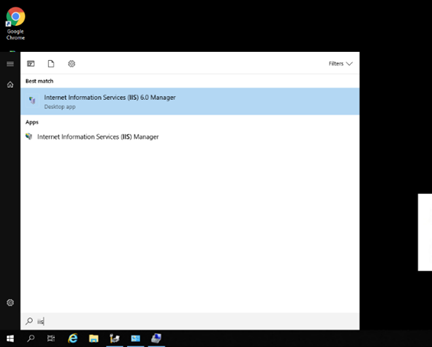
Click on start, type IIS, and launch IIS 6.0 Manager
Right click on SMTP Virtual Server to access the server properties.
On the general tab you can check the server’s name and address.
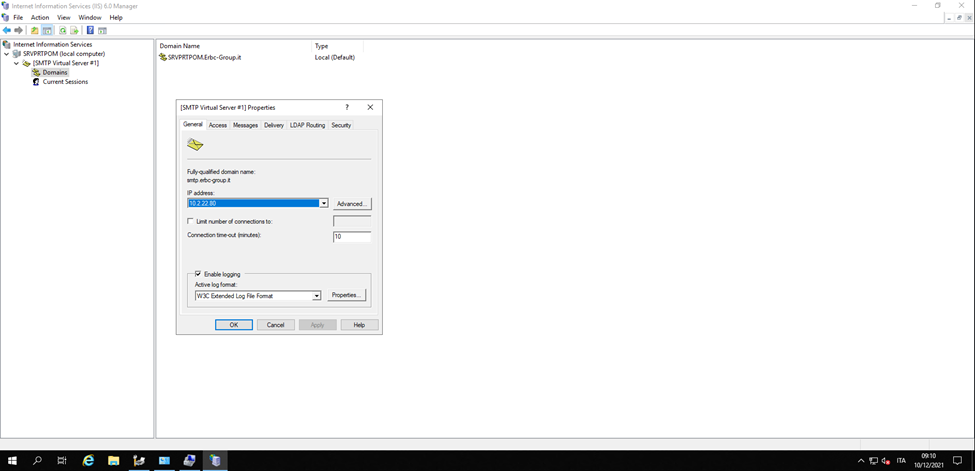
The machine has 2 IP addresses. On the DNS smtp.erbc-group.it is the alias for 10.2.22.80
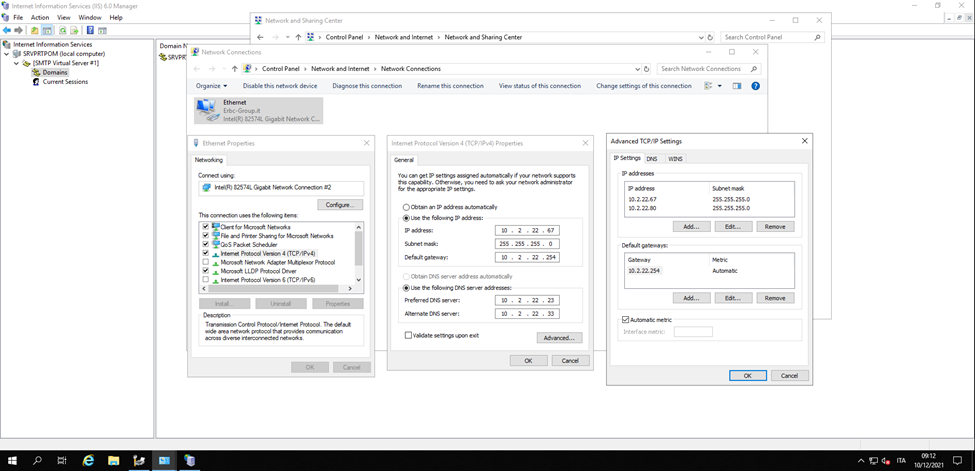
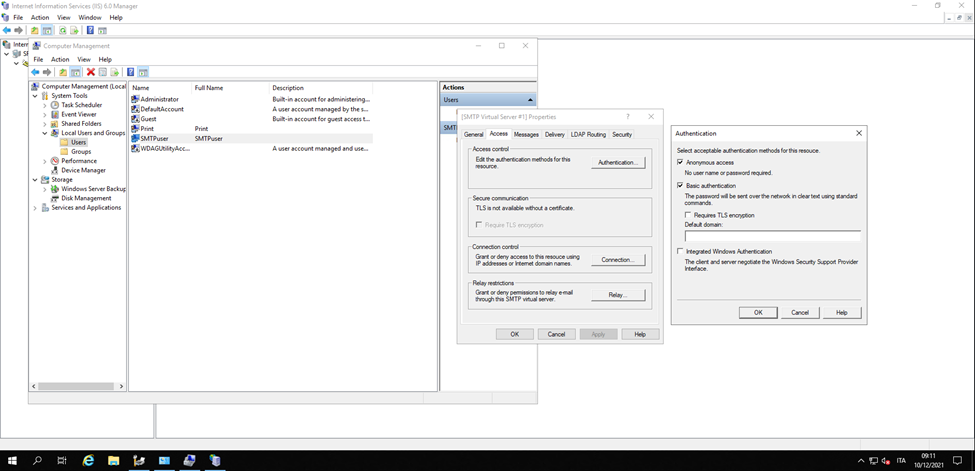
The server supports both Anonymous Access and Basic Authentication.
The basic authentication is provided via local user accounts.
The credentials are as follows:
- User: SMTPuser
- Password: erbc.01
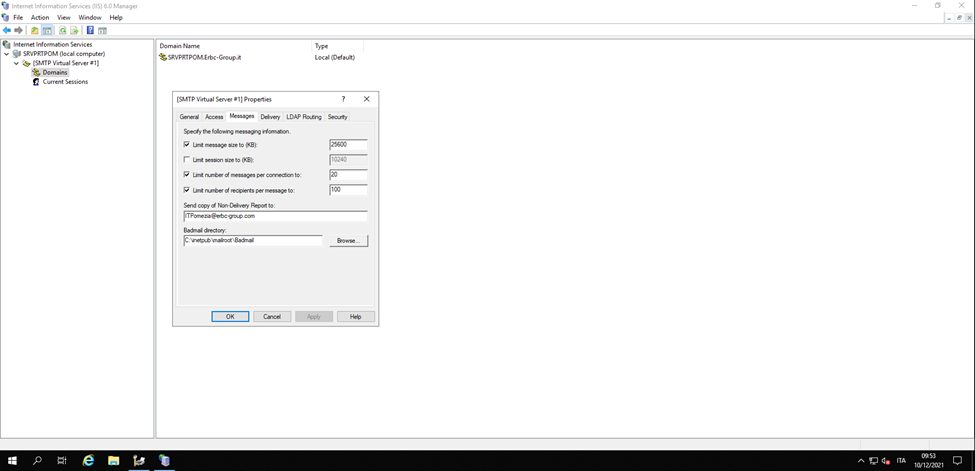
The message size limit is set to 25 MB to allow for email attachments.
The smtp server relies on an external relay from exchange online to route messages.
It is important to uncheck “Attempt direct delivery….” otherwise the server could be blacklisted.
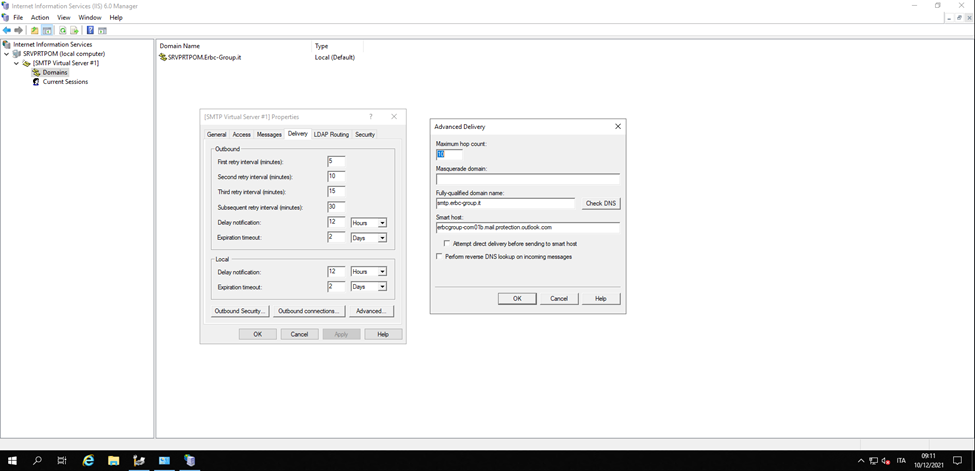
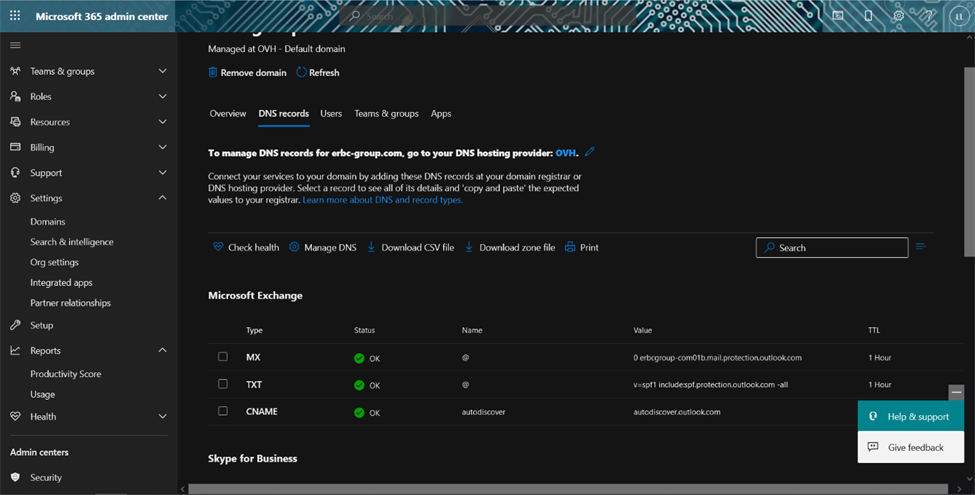
The smart host (relay) can be retrieved from the Microsoft 365 admin interface, in Setting à Domains, then select the erbc-group.com domain and click on the DNS records tab.
The relay will be shown as the MX value.
To test the functionality of the server, you may use the following commands line by line from CMD.
telnet 10.2.22.80 25
EHLO erbc-group.com
MAIL FROM: sai_chi_te_saluta@erbc-group.com
RCPT TO: jfargion@erbc-group.com
data
Subject: My Telnet Test Email
Hello,
This is an email sent by using the telnet command.
Your friend,
Me
.
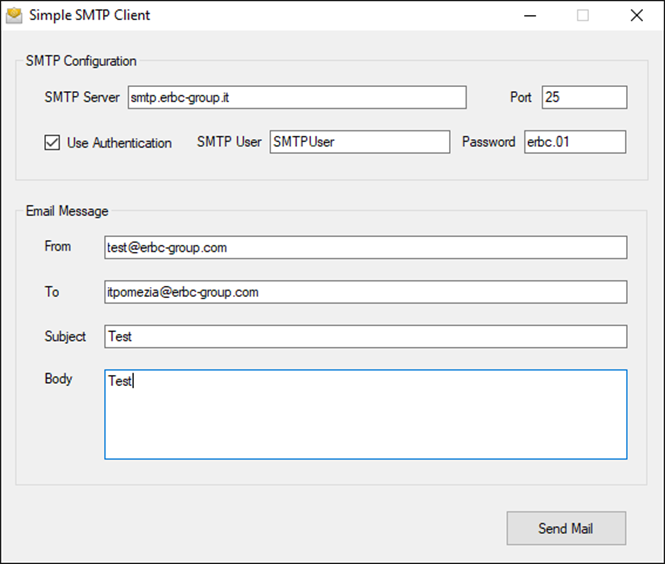
.There is a tool (attached below) that can be used:
On the company firewall there is also a rule that manage the traffic for this service