Step 1: Load the Active Directory Module
To connect and query an AD group with PowerShell the Active Directory module needs to be loaded.
The Active Directory module can be installed with the following methods:
- RSAT tools installed
- Windows Server 2008 R2 and above with the AD DS or AD LDS server roles
You can run the following command to see if you have installed
Get-Module -ListAvailable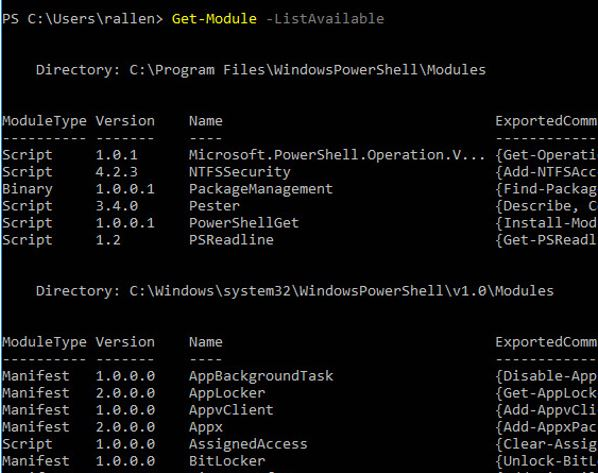
As you can see I don’t have the module installed.
If you already have the module loaded then jump to step 2, if not following these instructions.
To get the Active Directory module installed on my Windows 10 PC, I will need to download and install the RSAT tools.
With the RSAT tools installed, I run the Get-Module -ListAvailable command again
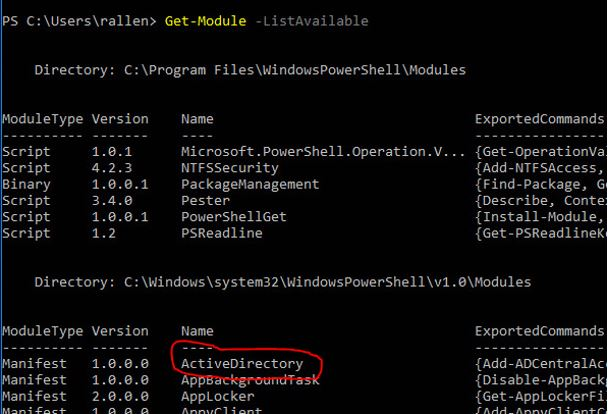
Now I have the module installed, let’s move on to step 2.
RELATED: Tutorial on how to install PowerShell modules
Step 2: Find AD Group
If you already know the name of the group, then skip to step 3.
If you’re not sure what the group name is, you can issue the following command to list all Active Directory groups.
Get-ADGroup -filter * | sort name | select name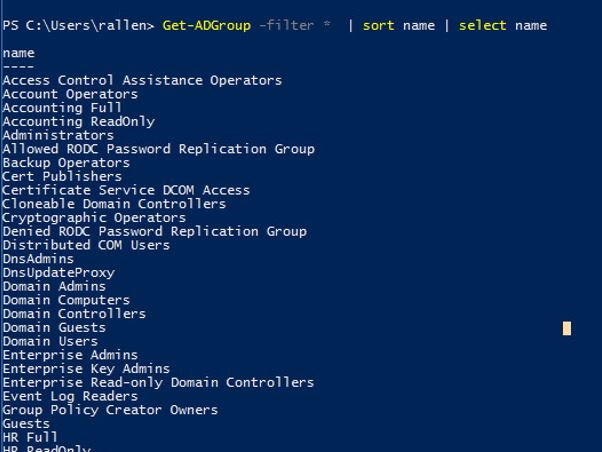
Step 3: Use Get-AdGroupMember to list members
The following command will list all members of my HR Full group
Get-ADGroupMember -identity "HR Full"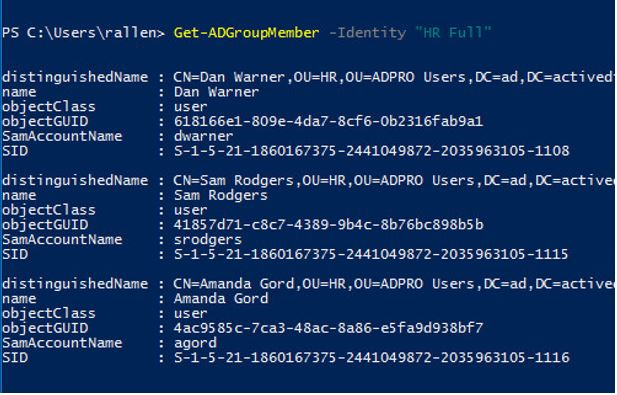
You can see the above command provides more details on the group members than I need.
We can filter out the results and just get the member name with this command
Get-ADGroupMember -identity "HR Full" | select name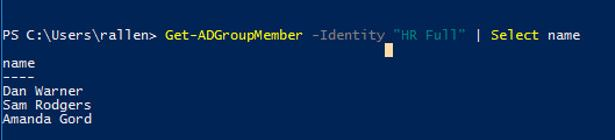
Perfect, now I just need to export this to CSV.
Related: How to export all Users from Active Directory
Step 4: Export group members to CSV file
The last step is to export the results to a CSV file
This is done by adding Export-csv to our above commands. The full command looks like this
Get-ADGroupMember -identity "HR Full" | select name | Export-csv -path c:\it\filename.csv -NotypeinformationGet-ADGroupMember -identity “HR Full” | select name | Export-csv -path C:\it\filename.csv -NoTypeInformation
Now I have a CSV file of all the members from the HR Full Active Directory group.